Have a question?
Message sent Close

Certificate Program in Motion Graphics Pro

34 Students enrolled
4
6 reviews
  • Description
  • FAQ
  • Reviews
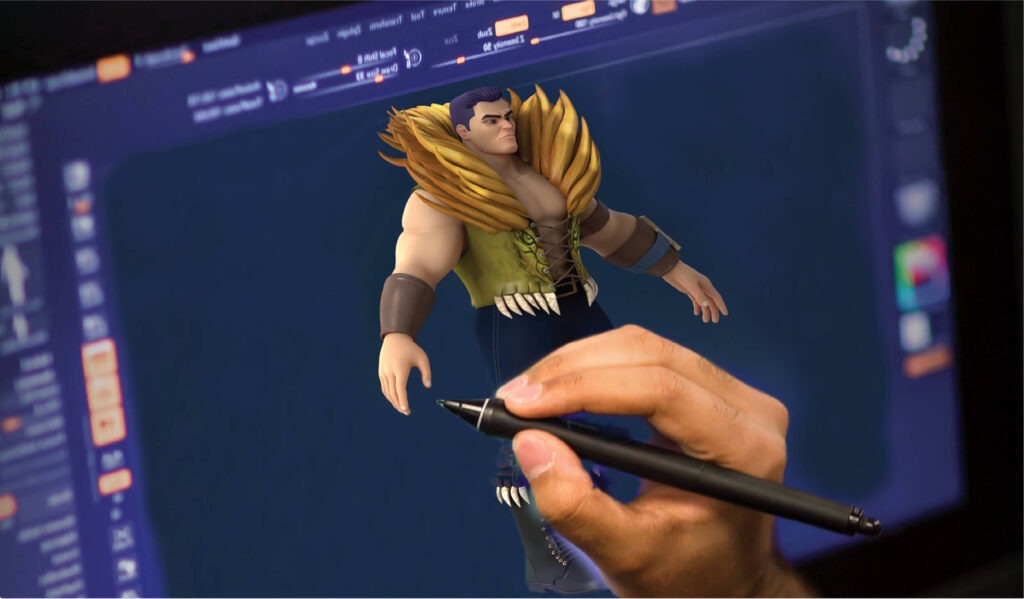
imgi_15_advance-prorame-in-graphic-design-digital-animation-1024x599.jpg

The primary goal of this quick start guide is to introduce you to Unreal Engine 4’s (UE4) development environment. By the end of this guide, you’ll know how to set up and develop C++ Projects in UE4. This guide shows you how to create a new Unreal Engine project, add a new C++ class to it, compile the project, and add an instance of a new class to your level. By the time you reach the end of this guide, you’ll be able to see your programmed Actor floating above a table in the level.

This quick start guide shows you how to add assets to your Unreal Engine (UE4) games. By the end of this guide, you’ll know how to use the Project Browser to create new projects and navigate the Content Browser to find and add content. You’ll also know where to find information on the FBX Content Pipeline while learning how to use the Material Editor to modify Materials before applying them to a Static Mesh Actor.

Main Features

  • Achieve Hollywood best quality visuals out of the box.
  • With complete C++ source code access, you can study.
  • Comes with designer-friendly Blueprint visual scripting.
  • Unreal Engine provides Robust Multiplayer Framework.
  • The built-in Cascade visual effects editor enables particles.
  • Unreal Engine 4’s Material Editor makes use of physically-based.

What is the target audience?

  • You might be thinking, all of the above – and that is fine. But as a complete beginner learning Unreal Engine 4.
  • The rendering system in Unreal Engine 4 is an all-new, DirectX 11 pipeline that includes deferred shading.

Learning a new game engine as a complete beginner is very intimidating. There are a lot of tutorials, documentation and advice already out but how do you start and proceed with learning Unreal Engine 4 is unclear. You get pulled into many different directions and end up confused and overwhelmed.

I have spent a lot of time deconstructing what it takes to learn a game engine from scratch. What it is that you should focus on first and what you should avoid until later.

Who can join the Certificate Program in Motion Graphics Pro?
This program is ideal for students, beginners, content creators, and creative individuals who want to learn motion graphics, multimedia design, and digital content creation.
What skills will students learn during the course?
Students will learn motion graphics design, animated typography, visual storytelling, video compositing, promotional video creation, title sequence design, and multimedia production techniques using industry-standard tools.
Is prior animation or design experience required?
No. The course is beginner-friendly and provides step-by-step practical training in motion graphics and digital content production.
What career opportunities are available after completing the program?
After completing the course, students can work as Motion Graphic Designers, Video Editors, Multimedia Artists, Digital Content Creators, Advertising Designers, and Visual Effects Assistants in media agencies, production studios, advertising companies, and digital media industries.
4.0
6 reviews
Stars 5
3
Stars 4
0
Stars 3
3
Stars 2
0
Stars 1
0
Course details
Duration 6 Months
Level

Archive

Working hours

Monday 9:30 am - 6.00 pm
Tuesday 9:30 am - 6.00 pm
Wednesday 9:30 am - 6.00 pm
Thursday 9:30 am - 6.00 pm
Friday 9:30 am - 5.00 pm
Saturday Closed
Sunday Closed